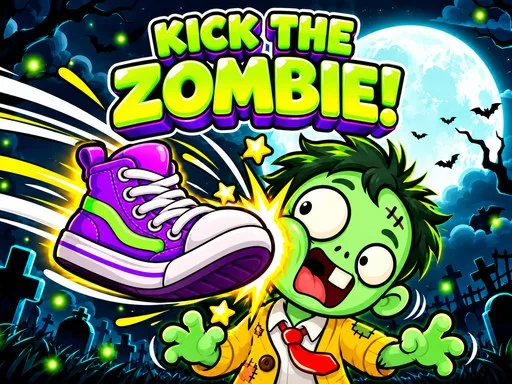
Quick answer: Kick the Zombie: Ragdoll Sandbox is a free Puzzle & Casual browser game. It is playable on desktop and mobile with touch controls. No download or account is required.
About Kick the Zombie: Ragdoll Sandbox
Kick the Zombie: Ragdoll Sandbox is a goofy ragdoll sandbox game rather than a survival game. Gus, a polite cartoon zombie, is happy to be dragged, flung, kicked and bonked around a moonlit graveyard. Grab him, throw him into bouncy headstones, launch him with a pumpkin cannon or tie balloons to him and watch him float away. His head pops off and hops right back, so the slapstick never stops.
The sandbox structure means there is no wrong way to play. Try each tool, combine them and see what the physics engine does when a ragdoll meets a spinning wall. It is free to play in the browser, needs no keyboard, and the official listing is Mobile Ready for touch screens.
There is no score to chase and no way to lose, so the fun comes from combining tools and seeing what the physics does. A freeze followed by a kick, a balloon tied to a launched zombie, or a pumpkin cannon shot that bounces off a headstone all produce different results. The rooms exist to give you new objects and angles, not to gate progress.
What You Can Do in Kick the Zombie: Ragdoll Sandbox
How to Play & Controls
- 1Grab Gus and give him a short fling to see how the ragdoll reacts.
- 2Switch tools from the toolbar and try each one on the same setup.
- 3Use the room boundaries: a wall behind Gus makes a simple kick more dramatic.
- 4Open the door to change rooms when you want new objects and angles.
Controls
The official listing is marked Mobile Ready, so touch controls are available on phones and tablets. Controls are based on the official listing and the in-game menu; a key may differ in a newer build.
Pro Tips & Walkthrough Strategy
- Chain your hits instead of resetting. A fling that ends in a bouncy headstone keeps the ragdoll moving and produces bigger reactions.
- Try the freeze and zap tools together. A frozen zombie reacts differently to a launch, which changes the whole setup.
- Use the room boundaries. A wall behind your target turns a simple kick into a much more dramatic collision.
- Experiment with the pumpkin cannon angles. A low shot rolls Gus into objects; a high shot sends him into the ceiling and back down.
- Try the balloons on the heaviest object in the room; the slow float gives you time to line up another tool.
- Let Gus settle between hits; the ragdoll needs a moment before the next launch registers cleanly.
Common Mistakes to Avoid
- Using only one tool and missing the combinations.
- Aiming at empty space instead of using walls and headstones.
- Resetting too often instead of letting a chaotic chain play out.
Who Should Play Kick the Zombie: Ragdoll Sandbox?
Kick the Zombie is for players who like physics sandboxes, slapstick humor and stress relief. It is not a survival game or a score chase; the reward is experimenting with the toys.
Game Details
- Category
- Puzzle & Casual
- Engine
- HTML5
- Device
- PC & Mobile
- Mobile Ready
- Yes (official)
- Published
- Oct 26, 2026
- Controls
- 4 listed
Game information and controls were checked against the official GameMonetize listing on 2026-11-22.
Frequently Asked Questions
Is Kick the Zombie: Ragdoll Sandbox free?
Yes. It is free to play in your browser on TiddlyPlay with no account.
Can I play it on mobile?
Yes. The official listing is Mobile Ready, and every action works by tapping or dragging on the screen.
Do I need to download anything?
No. The game loads inside the browser player on this page.
Is there a goal in Kick the Zombie?
No. It is a sandbox toy. There are no fail states or required objectives; you experiment with tools, physics and the rooms.
Can I play it with one hand on a phone?
Yes. The game is controlled by tapping and dragging, with a toolbar for switching tools, so no keyboard is required.
Game stream provided byGameMonetize. All game rights belong to the original developer and publisher.