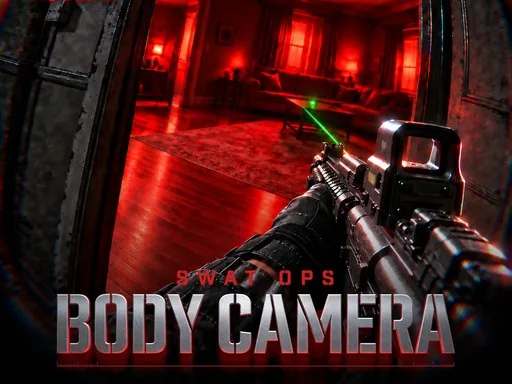
Quick answer: SWAT OPS: Body Camera is a free Action & Shooting browser game. It is playable on desktop and mobile with touch controls. No download or account is required.
About SWAT OPS: Body Camera
SWAT OPS: Body Camera puts you behind a first-person bodycam lens for tense close-quarters raids. The wide, slightly grainy view makes every doorway feel dangerous, and the tight indoor maps reward patience, muzzle discipline and clean room entry instead of running and gunning. You can play solo against bots or team up with friends across Deathmatch, Team Deathmatch, Gun Game, Zombies, Bomb and co-op modes.
This is a realistic shooter built for the browser: no launcher, no install, just a click and you are in a match. Weapons, skins and daily tasks give each session a goal, while the bodycam presentation keeps firefights grounded. If you enjoy tactical FPS games where ammo and angles matter more than raw speed, this is the one to start with.
The mode list is the real reason to stay: Deathmatch and Team Deathmatch for quick aim duels, Gun Game for forced weapon swaps, Bomb for objective play, Zombies for co-op pressure, and a co-op mode for playing with friends. Maps move from old-town streets to open fields and moody interiors, and the dynamic time of day changes how much you can see before you commit to a doorway.
What You Can Do in SWAT OPS: Body Camera
How to Play & Controls
- 1Pick a mode first. Deathmatch is the fastest way to learn the guns; Bomb teaches you to hold angles.
- 2Check your loadout and make sure you have a weapon for both tight rooms and longer lanes.
- 3Move cover to cover and pre-aim the next doorway instead of sprinting through open space.
- 4Right-click to zoom before a long angle, and reload only after you break line of sight.
- 5Play the objective in team modes: a covered lane is often worth more than one extra kill.
Controls
The official listing is marked Mobile Ready, so touch controls are available on phones and tablets. Controls are based on the official listing and the in-game menu; a key may differ in a newer build.
Pro Tips & Walkthrough Strategy
- Clear rooms from the doorway edge: check the near corner first, then sweep the far corner before stepping in. The bodycam view hides a lot at the edges of the screen.
- Reload behind cover, never in an open hallway. Magazine size is limited, so fire in short bursts and keep a reserve for the next doorway.
- Listen before you move. Footsteps and gunfire tell you which side of a wall an enemy is holding, which is often more useful than peeking.
- In objective modes, hold angles near the objective instead of chasing kills. Time spent alive and covering a lane is worth more than a risky flank.
- Scan the edges of the bodycam frame, not just the center. The wide view hides movement near the corners of the screen.
- On Bomb, hold a post-plant angle instead of chasing the last attacker. Let the clock pressure them into your sightline.
Common Mistakes to Avoid
- Treating the game like a run-and-gun arcade shooter and sprinting into every room.
- Reloading in an open hallway after every few shots.
- Ignoring footsteps and gunfire that reveal which side of a wall an enemy is holding.
Who Should Play SWAT OPS: Body Camera?
SWAT OPS is for players who enjoy methodical tactical shooters, bodycam perspective and close-quarters room clearing. If you prefer fast respawns and constant movement, the slower pacing may feel restrictive; if you like angles, ammo management and objective play, it is a strong fit.
Game Details
- Category
- Action & Shooting
- Engine
- HTML5
- Device
- PC & Mobile
- Mobile Ready
- Yes (official)
- Published
- Oct 29, 2026
- Controls
- 6 listed
Game information and controls were checked against the official GameMonetize listing on 2026-11-22.
Frequently Asked Questions
Is SWAT OPS: Body Camera free to play?
Yes. The game is free to play in your browser on TiddlyPlay, with no account or payment required.
Can I play SWAT OPS: Body Camera on mobile?
Yes. The official listing is marked Mobile Ready and includes touch controls: a left stick to move, drag to aim, plus fire and scope buttons. Landscape orientation gives you the most room.
Do I need to download anything?
No. Click Play and the game loads inside the page. There is no installer, plugin or separate launcher.
Can I play SWAT OPS: Body Camera solo?
Yes. You can play against bots in solo matches, and team modes can be played with friends when the game server is available.
What modes are included?
Deathmatch, Team Deathmatch, Gun Game, Zombies, Bomb and co-op. Each mode uses the same core movement and gunplay, so skills carry across.
Game stream provided byGameMonetize. All game rights belong to the original developer and publisher.